Duplicates caught on write
Dedupify checks every record as it is created or updated, matches it against the rules you define for that object type, and merges the pair or queues it for review before the rest of your portal acts on it.
Dedupify is free during the beta, with every review feature included and auto-merge on paid plans. We email you before the beta ends, and nothing is charged until you choose a plan. Marketplace listing pending verification.
Every portal accumulates this
Every HubSpot portal collects them over time, and duplicate records quietly break the reports, workflows, and sequences your team runs on.
Rules you define
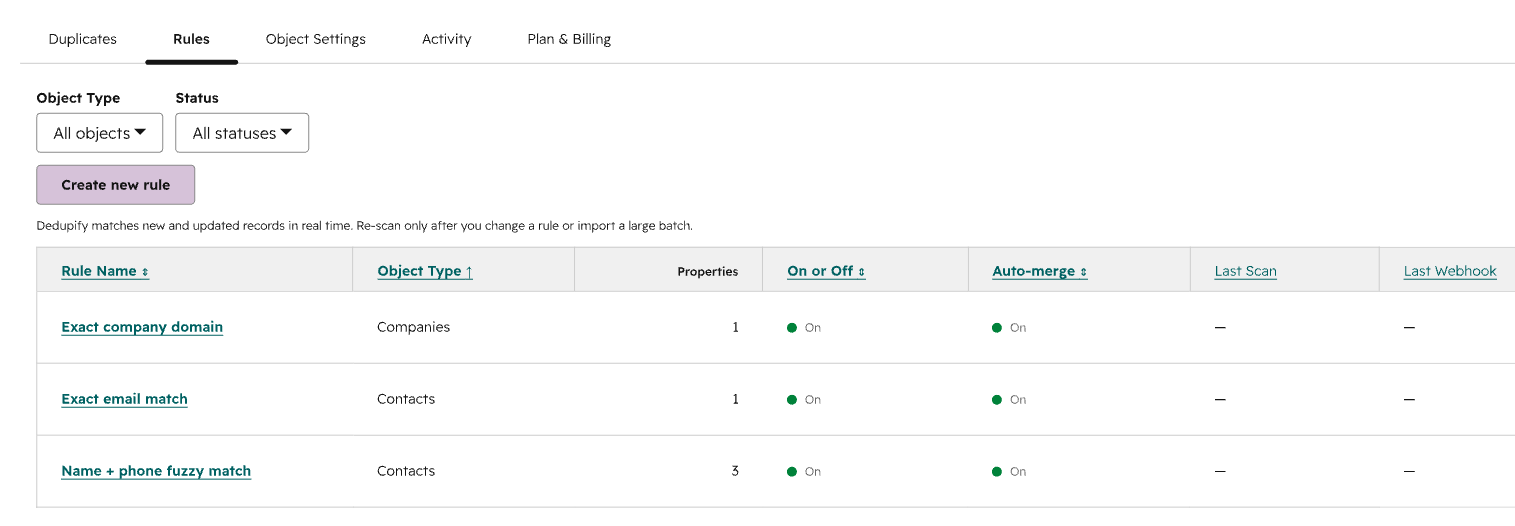
Per-object rulesets, exact and fuzzy comparison on any property, AND/OR groups, and normalization set rule by rule.
Combine exact and fuzzy comparisons across any properties with AND/OR groups. Start from recipes for email, phone, first name, and domain.
Set confidence thresholds per ruleset: auto-merge above the top band, send the middle band to review, ignore everything below.
Every create and update is checked as it happens, including writes from the HubSpot API and third-party sync apps.
What Dedupify does
Contacts, companies, deals, tickets, and custom objects, each with independent rules and its own merge behaviour.
Each record is evaluated as it is created or updated, so a duplicate is handled before a workflow enrolls it or a sequence sends.
Exact and fuzzy comparison on any property, AND/OR groups, and normalization per rule: ignore subdomains, expand nicknames, ignore accents.
Each ruleset does one of three things: merge the pair automatically, send it to the review queue, or never merge.
Contacts, companies, deals, tickets, and custom objects on HubSpot Enterprise. Each object type carries its own rules.
Mark the records that must stay separate once, and every ruleset honours that mark across every object type.
Every merge keeps the properties compared, the scores used, the winning values, and who approved it.
Inside the app
Build a ruleset property by property, with comparison type, threshold, and normalization set on each row.
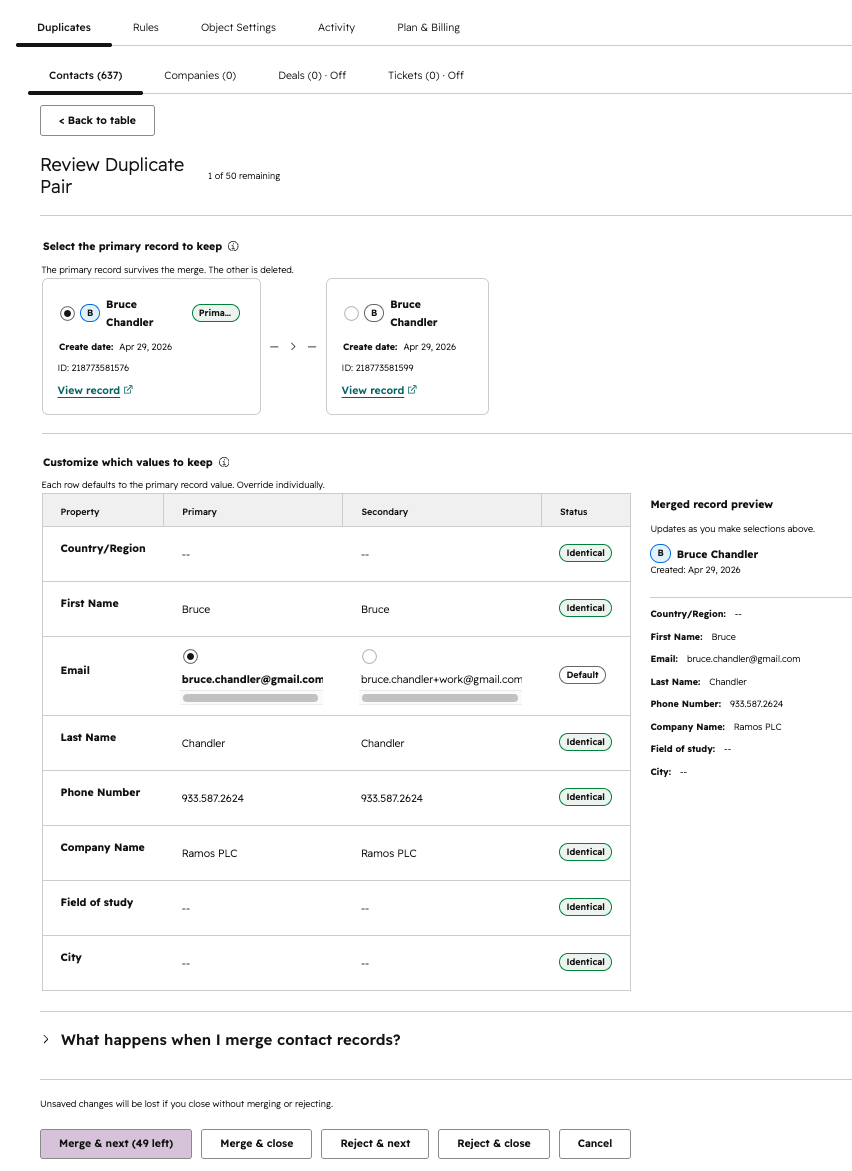
Review the candidate pair side by side in the CRM record and pick the winning value property by property.
Every completed merge keeps the properties compared, the scores used, the winning values, and the approver.
Each ruleset carries its behaviour: auto-merge above the threshold, review in the middle band, never merge.
Merge modes
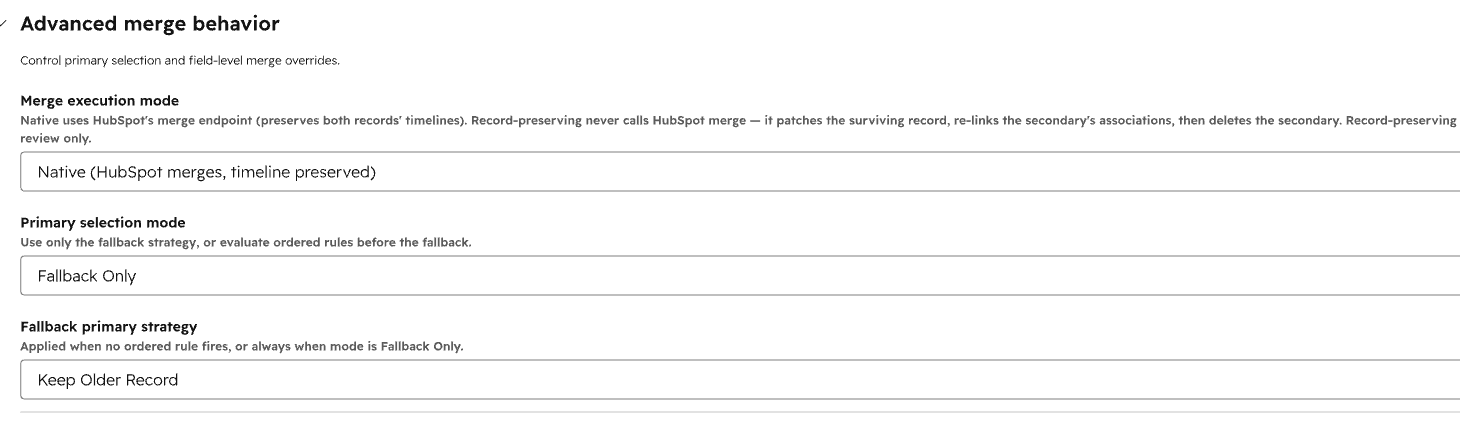
Each ruleset carries one behaviour, so a strict rule can merge on its own while a lenient rule collects pairs for a person to approve.
Above your top threshold, Dedupify merges the pair automatically and writes the full comparison to the audit log.
In the middle band, the pair waits in the review queue inside the CRM record. A reviewer picks the winning value property by property, then approves.
The ruleset leaves the pair alone. The global never-merge list holds the records that must stay separate across every ruleset.
Pricing
Every feature at every paid tier. Pricing scales with your active record count, and large portals get volume pricing.
Dedupify is free during the beta. Every review feature is included, auto-merge runs on paid plans, we email you before the beta ends, and nothing is charged until you choose a plan. After the beta, new installs start with a free trial. The prices below apply after the beta.
Dedupify is free during the beta, with every review feature included. Auto-merge comes with every paid plan. After the beta, new installs start with a free trial. HubSpot Super Admin required to install.
Calculator
You pay for active records in buckets of 10,000: $10 per bucket per month, or $5 per bucket per month billed annually.
12,000 records → 2 buckets → $20/mo
Join the free betaHow Dedupify differs
Most HubSpot dedupe apps match on a short list of properties you pick. Dedupify lets you define what the same customer means for your business: per-object rulesets, exact and fuzzy comparison on any property, AND/OR groups, confidence thresholds in three bands, and normalization set per rule. Custom objects included.
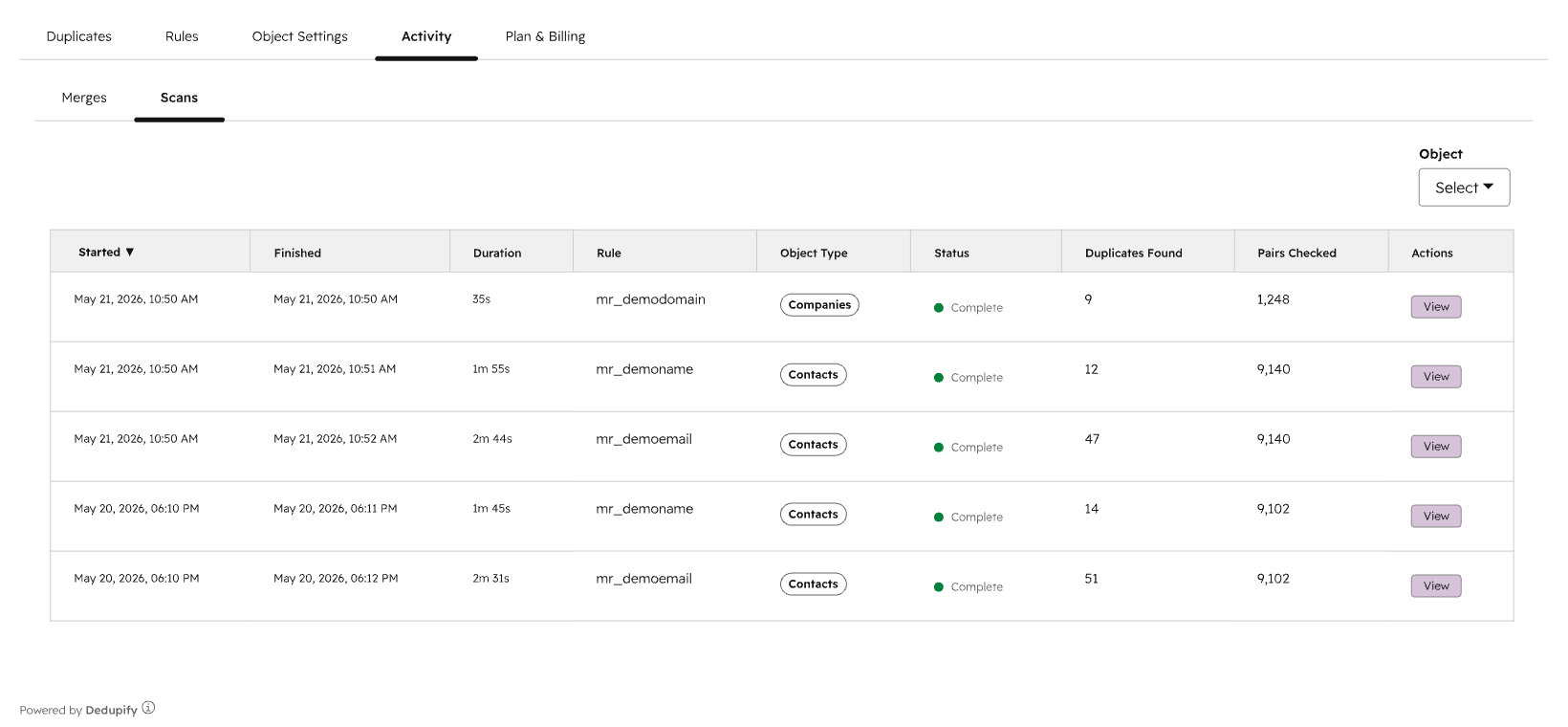
Scheduled and manually triggered scans find the duplicate after workflows, owner assignment, and sequences have already acted on it. Dedupify evaluates each record the moment it is created or updated, including writes from the HubSpot API and third-party sync apps. The pair is merged or queued first.
Review happens inside the HubSpot CRM record: the candidate pair side by side, the winning value chosen property by property, then approved. Every merge keeps the properties compared, the scores used, the winning values, and the approver. Any result in your portal can be explained months later.
Common questions
Yes. Dedupify covers contacts, companies, deals, tickets, and custom objects, and each object type has its own independent rules. Custom object support requires HubSpot Enterprise.
HubSpot combines the pair into a single record. On a reviewed merge you choose the winning value property by property before approving, and the audit log keeps the properties compared, the scores used, the winning values, and who approved it.
Yes. Set the ruleset to send to review, and every match it finds waits in the queue for a person to approve. That gives you a live sample of what the rule would have merged. Move a rule to auto-merge once its results hold up.
HubSpot does not support unmerging records (HubSpot docs). That is why review-first is the recommended starting point, why the global never-merge list exists for records that must stay separate, and why the recommended path is to move a rule to auto-merge only once you trust its results.
Insycle and Koalify run scheduled or manually triggered scans, with property-pick matching. Dedupify evaluates every record the moment it is created or updated, including writes from the HubSpot API and third-party sync apps, and its rules go deeper: per-object rulesets, exact and fuzzy comparison on any property, AND/OR groups, confidence thresholds in three bands, and normalization set per rule.
A HubSpot Super Admin installs Dedupify using the beta install link. The App Marketplace listing is pending verification. There is no sales call and no data migration, and it runs on the portal you already have.
The beta is free today, with every review feature included and auto-merge on paid plans. We email you before the beta ends, and nothing is charged until you choose a plan. After the beta, new installs start with a free trial.
Get started
The beta is open by install link: a HubSpot Super Admin installs Dedupify on your portal, every review feature is included, and nothing is charged until you choose a plan. If you want to see it first, book a 15-minute live demo in a real portal.
Dedupify is free during the beta, with every review feature included and auto-merge on paid plans. We email you before the beta ends, and nothing is charged until you choose a plan.